




Introduction
Waking up to find one of your best‑selling products has “disappeared” from Amazon can send a chill down any seller’s spine. One minute you’re seeing views and conversions, and the next—nothing. The listing is gone, or it shows but no one can find it. What’s going on?
If you’re in this scenario, you’re not alone—and you’re not without options. In this article we’ll walk you through two major scenarios: listing suppression and listing removal (or “yanked” listing). We’ll clearly define both, compare them, and then give you detailed, actionable steps to get your listing back on track. Finally, we’ll cover how to prevent future problems and when to bring in professional support.
What Is a Suppressed Amazon Listing?
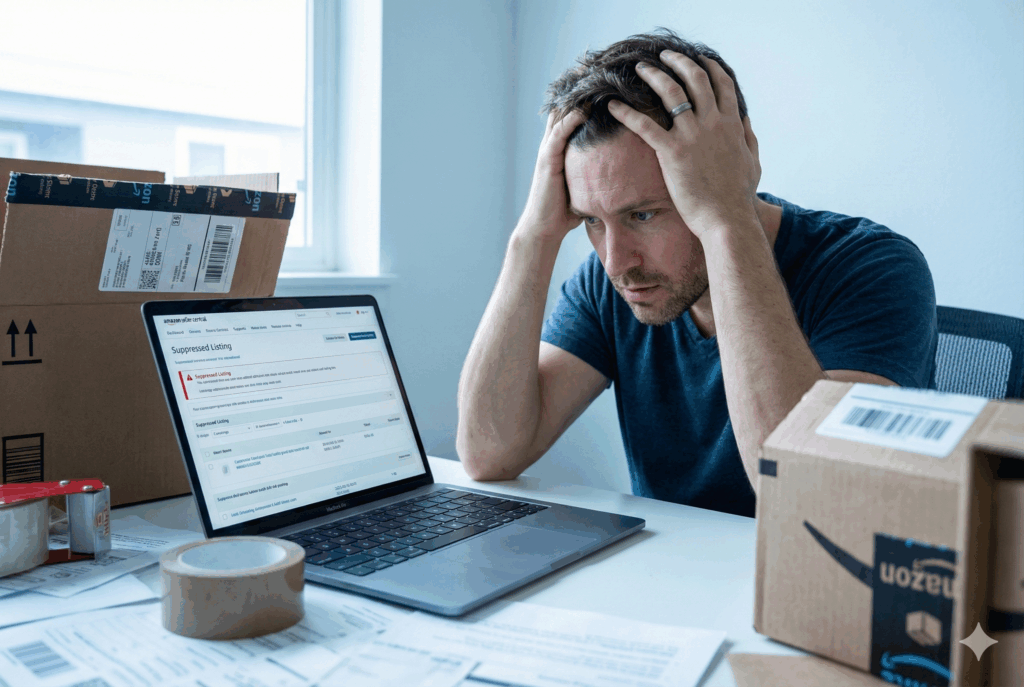
Suppression on Amazon means your listing still technically exists in your Inventory—but it is hidden from search results or from customers in a meaningful way. According to multiple seller‑resources, a suppressed listing “has been removed from Amazon’s search results” or “hidden from customers” because it fails to meet Amazon’s listing standards.
How It Happens
Many causes lead to suppression:
- Missing required information (images, titles, bullet points) or incorrect attribute values.
- Non‑compliant images (wrong background, watermarks, not high resolution).
- Titles exceeding allowed character length, or missing key category attributes (especially for apparel, jewelry, watches)
- Pricing anomalies, high return rates, negative reviews or performance metrics indicating poor experience.
How to Identify a Suppressed Listing
- In Seller Central: Inventory → Manage Inventory → check for “Suppressed” label or the “Search Suppressed and Inactive Listings” link.
- You might still find the ASIN in your inventory list, but when you search for it on Amazon you cannot locate it through normal browsing/search.
- Sometimes there is no explicit notification from Amazon; the suppression is silent.
Why It Matters
Because the product is “off the radar” for shoppers, your visibility drops sharply. Even though the listing may still show in your catalog, it’s effectively invisible to most buyers. The result: lost sales, reduced traffic, and potentially damage to your listing’s search ranking over time.
What Is a Yanked (“Removed”) Amazon Listing?
When a listing is “yanked” (a common seller term) it means Amazon has removed or deactivated the listing entirely — no longer visible, no longer buyable, or flagged as blocked. In essence: the listing is taken down until you take serious action.
Common Causes
- Severe policy violations: selling restricted products, counterfeit or infringing items.
- Intellectual property complaints (trademark or copyright) or regulatory/safety issues.
- Account health issues or repeated offences.
- Non‑compliant UPC/GS1 codes or listing merges gone wrong.
How to Recognize It
- The ASIN may no longer appear in your Manage Inventory list (or appears as “Inactive (Blocked)”).
- Customers cannot find the listing even via direct search; the detail page may show “Unavailable” or “Detail Page Removed”.
- You receive a Performance Notification or Alert in Account Health explaining the removal reason (or simply a warning).
- The listing remains non‑buyable until you fix the underlying issue and appeal.
Consequences
- Sales drop to zero for that item until reinstatement occurs—potentially significant revenue impact.
- A removed listing due to serious violations may affect your account health and risk broader suspension.
- Reinstatement often requires more rigorous steps: root‑cause analysis, Plan of Action, documentation.
Key Differences Between Suppressed and Yanked Listings
Here’s a side‑by‑side comparison to clarify the difference:
| Feature | Suppressed Listing | Yanked/Removed Listing |
|---|---|---|
| Severity | Lower — listing still exists in inventory | Higher — listing removed or blocked entirely |
| Visibility to shoppers | Listing exists but hidden | Listing not visible or buyable |
| Root causes | Data/attribute errors, compliance gaps | Serious policy violations, IP/regulatory issues |
| Notification method | Sometimes none, or generic “suppressed” info | Often direct Performance Notification |
| Recovery process | Fix missing info and save | Submit appeal + Plan of Action + documentation |
| Time to resolution | Often quicker | Usually longer, riskier |
Understanding which scenario you’re facing is critical, because the recovery steps differ significantly.
Step‑by‑Step Recovery Plan for Suppressed Listings
If your listing is suppressed (not removed), here’s how you get back on track:
- Identify suppressed listings:
- In Seller Central: Inventory → Manage Inventory → click “Search Suppressed and Inactive Listings”.
- Download a suppressed listing report if available.
- Note the “Issue(s) to fix” column which highlights missing or incorrect fields.
- Review each flagged item:
- Check the fields highlighted by Amazon (e.g., missing description, missing main image, invalid category).
- Validate your images: main image must have white background, product must occupy at least ~85% of frame.
- Ensure title length and all required attributes meet Amazon’s guidelines for that category.
- Correct the issues:
- For missing data: fill in descriptions, bullet points, key attributes (color, size, material) etc.
- For image problems: upload new compliant images (format, background, size).
- For category/attribute problems: ensure you have properly selected browse nodes, parent/child relationships correct, necessary to satisfy Amazon’s taxonomy.
- For price or inventory problems: verify correct stock levels, consistent pricing compared to similar listings.
- Save and submit for review:
- After making edits, click “Save & Finish”.
- Allow some time (often 15‑minutes to a few hours) for Amazon to reindex the listing.
- Follow‑through and monitor:
- Check that the listing appears in search results again (search by ASIN or relevant keywords).
- Monitor your listing health and ensure performance metrics (returns, reviews) are not causing new issues.
- Consider setting up alerts for suppression or inventory issues.
Step‑by‑Step Recovery Plan for Yanked (Removed) Listings
If your listing has been fully removed or blocked, you’ll need a stronger approach:
- Locate the removal cause:
- Check your Account Health dashboard or Performance Notifications—this will give you reason codes.
- Review any emails from Amazon that reference the ASIN or listing.
- Conduct root‑cause analysis:
- Ask: What triggered the removal? Was it an IP complaint, restricted product, counterfeit claim, incorrect UPC, etc.?
- Gather documentation: invoices, supplier proof, brand registry status, images, compliance certificates.
- Develop your Plan of Action (POA):
A POA typically includes:- Root cause: Clear explanation of what went wrong.
- Corrective actions: What you did to fix the problem for that listing.
- Preventative actions: What processes you will implement to stop it happening again across your catalog.
For example: “We removed non‑brand sellers, implemented new listing review process, set up regular audits of ASINs for hijacks.”
- Submit the appeal:
- In Seller Central, go to the relevant violation or removal notice and click “Appeal”.
- Upload your POA, attach documentation, and write a concise but thorough narrative of what you’ve done and what you will do.
- Be patient: response times vary. Follow up if you don’t hear back in a reasonable timeframe (e.g., 48–72 hours).
- Once reinstated:
- Confirm your listing is visible and buyable.
- Monitor for any performance or health warnings.
- Remove any inventory from FCs (Fulfilment Centers) if you decide not to reinstate the listing.
Advanced Scenarios and Seller Tips
Because every seller’s situation differs, here are additional scenarios and tips to keep in mind:
- ASIN mergers or changes: Sometimes Amazon merges ASINs behind the scenes, causing your listing to lose its visibility or get suppressed. Monitor for unusual dips in traffic.
- Hijacked listings: Unauthorized sellers may attach themselves to your ASIN and cause a policy violation. Using brand registry and monitoring new sellers on your listing helps.
- Bulk corrections via flat‑files: If you have many suppressed listings, using Amazon’s inventory flat‑file templates can speed up the process of updating attributes in bulk.
- Utilizing brand registry and IP protection: Being enrolled in Amazon Brand Registry gives you more control and ability to appeal hijacks or IP complaints.
- Contacting Seller Support & escalation paths: If you’re stuck, open a case in Seller Central but be clear, concise, and include all relevant documentation. Sometimes escalating to performance teams helps when listings are wrongly suppressed.
- Using listing health tools: Third‑party tools or internal dashboards can help detect at‑risk listings before they get suppressed— for example, by tracking missing images, attribute gaps, or poor performance.
How to Prevent Future Suppressions or Yankings
Prevention is always better than cure. Here are key best practices to safeguard your Amazon listings:
- Regular listing audits: Set monthly (or even weekly) reviews of your catalog for missing fields, outdated info, image compliance, category accuracy.
- Stay updated with Amazon policy changes: Amazon’s rules evolve. Keep an eye on Seller Central announcements.
- Maintain excellent account health: Low return rates, low defect rates, positive reviews contribute to fewer flags.
- Register your brand and protect IP: Brand Registry gives you leverage & visibility into potential issues.
- Use high‑quality images and follow style guides: Especially important for items in regulated categories (beauty, food, electronics).
- Avoid risky behaviours: Don’t try to circumvent Amazon rules (e.g., keyword stuffing, false claims, risky categories). These are common triggers for removal.
- Set up alerts/monitoring systems: Use tools or internal dashboards to flag when metrics are abnormal—price spikes, inventory issues, sudden drop in visibility.
- Documentation & audit trail: Keep invoices, supply chain records, compliance certificates so you’re prepared if a listing is challenged.
When to Seek Professional Help
There are times when handling suppression or removal in‑house might be too risky or complex:
- If you’ve had multiple listing removals and your account health is at risk.
- If you’re dealing with complex IP/legal issues, regulatory compliance (e.g., FDA, safety standards) or large product catalogs.
- If you don’t have internal capacity for bulk fixes, ongoing audits, or monitoring.
- When time is critical — for example, during peak sales seasons (holiday, Prime Day) and any listing downtime would cause major revenue loss.
In those cases, consider hiring an Amazon‑specialist agency or consultant with expertise in appeals, listing restoration and account health.
Conclusion
Losing visibility or access to one of your Amazon listings is alarming—but it doesn’t have to be catastrophic. The difference between a suppressed listing and a yanked/removed listing is key: one relates to missing or faulty data, the other to serious compliance issues. By understanding what you face, taking targeted, structured corrective action, and putting in place prevention measures, you can restore your listing and protect your business.
Remember: act quickly, document thoroughly, and monitor proactively. Your listing can be reinstated — and with the right processes in place, you can keep it visible and buyable for the long haul.
FAQs
Q: Why was my Amazon listing suppressed?
A: Most often because required information (images, description, attributes) is missing or non‑compliant, or because of performance metrics like poor reviews or high return rates.
Q: How long does Amazon suppression last?
A: It lasts until you fix the underlying issues and Amazon re‑indexes the listing—often minutes to hours, sometimes longer.
Q: What does it mean if my listing was yanked/removed?
A: It means Amazon removed your listing due to serious issues (policy violation, IP complaint, safety/regulatory problem) and you must appeal for reinstatement.
Q: Can I appeal a removed Amazon listing?
A: Yes — you should submit a Plan of Action and support documentation through your Account Health or Performance Notifications. Success depends on the completeness and credibility of your appeal.
Q: What is the difference between deactivated and suppressed listings?
A: “Suppressed” means still in your catalog but hidden from search or buy‑box; “deactivated” or “removed” means the listing is blocked from sale completely until action is taken.